Every GrowerIQ integration uses two credentials that work together: an API key that identifies the integration, and a JWT token that proves the caller is authorised. This dual-layer model ensures that compromising one credential alone is not enough to access your data.
In this article
- How Authentication Works
- What to Share with Your Integration Partner
- API Key Security Model
- Regenerating an API Key
- Auth0 Client Credentials
- Troubleshooting Partner Authentication Errors
How Authentication Works
Every API request to GrowerIQ must include both credentials. Each serves a distinct purpose:
| Credential | HTTP Header | Purpose | Lifetime |
|---|---|---|---|
| JWT Token | Authorization: Bearer <token> |
Proves the caller is authorised | 1 hour (must be refreshed) |
| API Key | X-API-Key: <key> |
Identifies which integration is calling | Until regenerated or revoked |
The JWT token is short-lived and must be refreshed before it expires. The API key persists indefinitely until you explicitly regenerate or revoke it. Both must be present on every request, or the call is rejected.
Why two credentials?
A stolen API key alone cannot make API calls because it lacks a valid JWT. A stolen JWT alone cannot make calls because it lacks the API key. An attacker would need to compromise both simultaneously.
What to Share with Your Integration Partner
When onboarding a new integration partner, share the following credentials so they can authenticate against your GrowerIQ environment:
| Credential | Share? | Handling |
|---|---|---|
| API Key | Yes | Via secrets manager or password vault |
| Auth0 Client ID | Yes | Secure handoff |
| Auth0 Client Secret | Yes | Secure handoff |
| Auth0 Domain | Yes | Can share openly |
| API Docs URL | Yes | Can share openly |
| Granted Scopes | Yes | Can share openly |
| Webhook Signing Secret | Yes (if using webhooks) | Secure handoff |
Never share credentials via email or chat
Always use a secrets manager, password vault, or other encrypted channel to transfer API keys, client secrets, and webhook signing secrets. Plain-text email and chat messages are logged, cached, and searchable by unintended recipients.
API Key Security Model
GrowerIQ API keys follow a secure-by-design approach:
- Format: Keys begin with
grq_live_followed by a cryptographically random string. - Displayed once: The full key is shown only at activation or regeneration. Copy it immediately.
- Stored as a hash: GrowerIQ stores only a one-way hash of the key. Support staff cannot retrieve it for you.
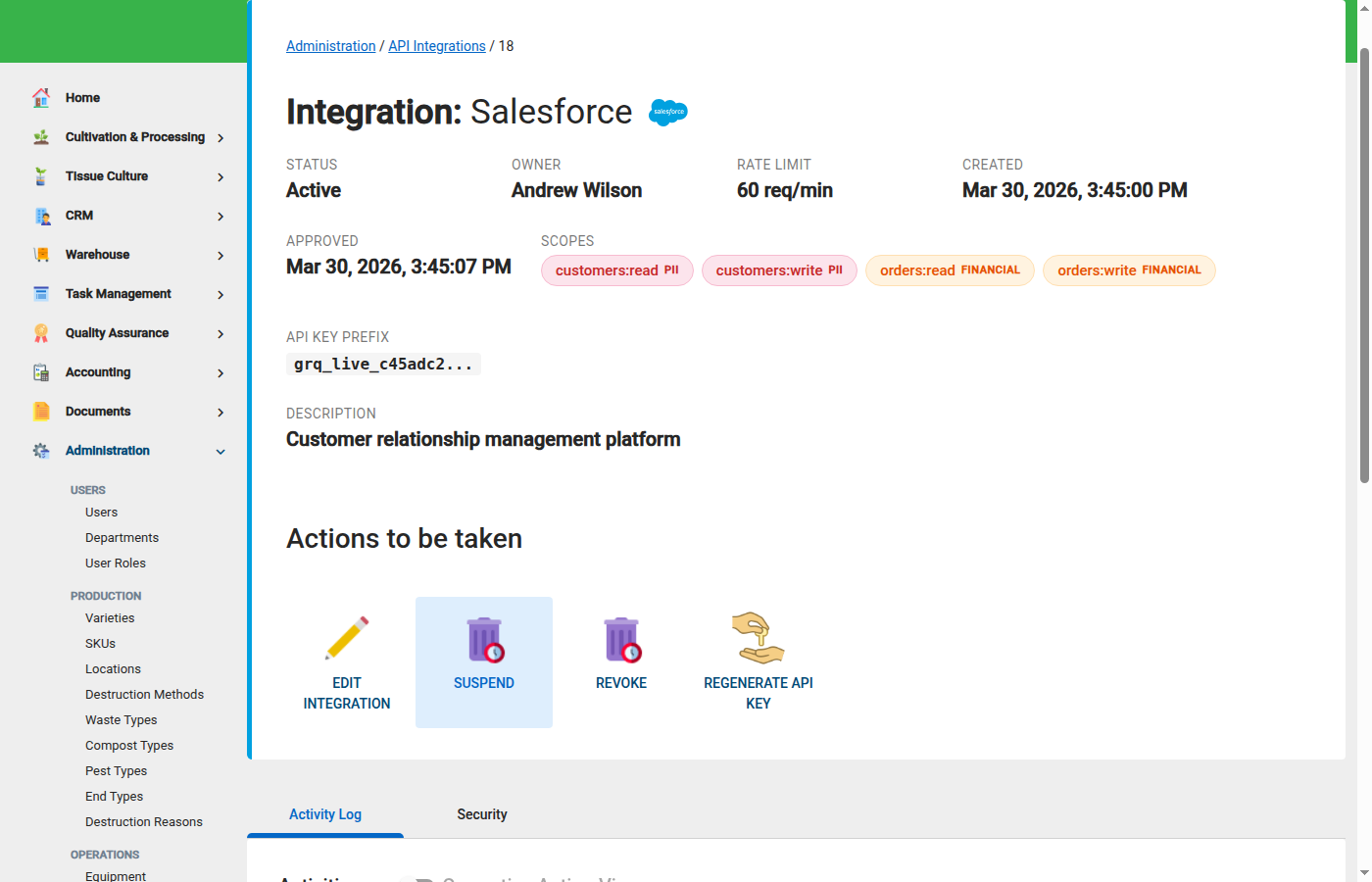
- Prefix visible in UI: The integration detail page shows only the first 16 characters (the prefix) for identification purposes.
- Lost key recovery: If you lose the key, the only option is to regenerate it. The old key stops working immediately.
Treat your API key like a password
Store the full key in a secrets manager the moment it is displayed. You will not be able to view it again.
Regenerating an API Key
Regenerate an API key when you suspect it has been compromised, when staff with access to the key leave the organisation, or as part of routine credential rotation.
Steps:
- Navigate to Administration > Integrations and select the integration.
- On the integration detail page, click Regenerate API Key.
- Copy the new key immediately and store it in your secrets manager.
- Provide the new key to your integration partner through a secure channel.
Regeneration takes effect immediately
The moment you regenerate, the old API key stops working. Any system still using the old key will receive authentication errors. Coordinate the key swap with your integration partner before regenerating to avoid downtime.
Auth0 Client Credentials
The GrowerIQ Customer Success team sets up an Auth0 application for each integration during onboarding. Your integration partner uses the Auth0 client credentials to obtain JWT tokens.
The authentication flow works as follows:
- The partner calls the Auth0 token endpoint with their
client_idandclient_secret. - Auth0 returns a JWT token valid for 1 hour.
- The partner includes both the JWT token (
Authorization: Bearer) and the API key (X-API-Key) on every API call. - When the JWT expires, the partner requests a new one from Auth0. The API key remains the same.
Auth0 credentials are set up for you
You do not need to create the Auth0 application yourself. The GrowerIQ team configures it during integration onboarding and provides the credentials via secure handoff.
Troubleshooting Partner Authentication Errors
If your integration partner reports authentication failures, work through this checklist:
Common causes of authentication errors
- Integration is not Active. Verify the integration status is set to Active on the detail page.
- API key was regenerated. Confirm the partner is using the current API key, not a previously issued one.
- JWT token has expired. JWT tokens are valid for 1 hour. Ensure the partner's system refreshes the token before expiry.
- Missing credential on the request. Both the
Authorization: Bearerheader (JWT) and theX-API-Keyheader (API key) must be present on every call. A missing header results in a401 Unauthorisedresponse.
If all four checks pass and the issue persists, review the API Logs page for the integration to see the exact error returned on each request.