GrowerIQ signs every outbound webhook payload with HMAC-SHA256 so your receiving system can verify the request genuinely originated from GrowerIQ and has not been tampered with in transit.
In this article
- Signature Verification
- Replay Protection
- Retry Behaviour
- Reading Delivery Logs
- Health Status
- Troubleshooting
Signature Verification
Every webhook request includes two headers used for verification:
| Header | Value | Purpose |
|---|---|---|
X-Webhook-Signature |
sha256=<hex-digest> |
HMAC-SHA256 signature of the payload |
X-Webhook-Timestamp |
Unix timestamp (seconds) | Time the payload was signed |
Follow these steps to verify a webhook signature:
- Extract the
X-Webhook-Timestampheader value. - Reject the request if the timestamp is older than 5 minutes (see Replay Protection below).
- Build the signed string by concatenating:
<timestamp>.<raw-request-body>(dot separator between timestamp and body). - Compute an HMAC-SHA256 digest of the signed string using your webhook signing secret as the key.
- Compare the computed digest against the value in the
X-Webhook-Signatureheader (after stripping thesha256=prefix). Use a timing-safe comparison function to prevent timing attacks.
Code Samples
For language-specific verification examples (Python, Node.js, Ruby, and more), refer to the GrowerIQ API Reference portal. Contact your Customer Success representative for access.
Replay Protection
Your receiving system should reject any webhook payload where the X-Webhook-Timestamp value is older than 5 minutes relative to your server's current time. This prevents replay attacks, where an attacker intercepts a valid payload and re-sends it later.
Clock Synchronisation
Ensure your receiving server's clock is synchronised with NTP. Clock skew greater than a few seconds can cause valid webhooks to be incorrectly rejected.
Retry Behaviour
If your endpoint returns a 5xx status code or the connection times out, GrowerIQ retries delivery on an escalating schedule:
| Attempt | Timing |
|---|---|
| 1 | Immediate |
| 2 | 1 minute later |
| 3 | 5 minutes later |
| 4 | 30 minutes later |
| 5 | 2 hours later (final) |
4xx Errors Are Never Retried
A 4xx response indicates a configuration problem on the receiver side (wrong URL, missing authentication, malformed endpoint). GrowerIQ does not retry these. Check your endpoint configuration and correct the issue.
Idempotency
Because retries can deliver the same payload more than once, design your receiving endpoint to be idempotent. Use the event ID in the payload to detect and discard duplicates.
Reading Delivery Logs
Use delivery logs to confirm whether a webhook was received, identify error codes, and track retry attempts.
- Navigate to Administration > Integrations.
- Open the integration that owns the webhook subscription.
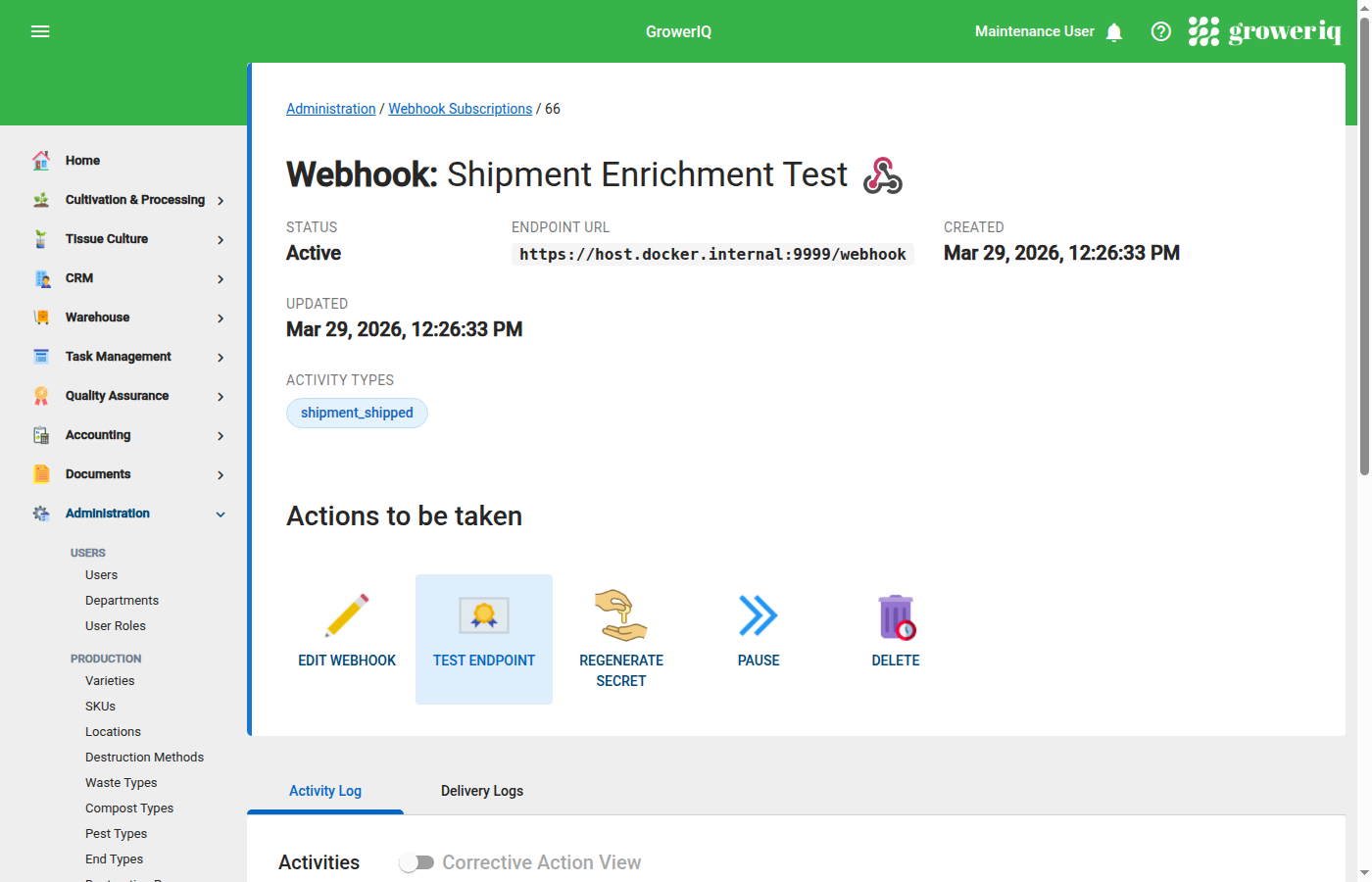
- Click the webhook subscription to view its detail page.
- Select the Delivery Logs tab.
Each row in the log displays:
- Timestamp of the delivery attempt
- HTTP status code returned by your endpoint
- Attempt number (1 through 5)
- Error details if the request failed (timeout, connection refused, etc.)
Use these logs to confirm successful delivery, identify which status codes your endpoint is returning, and track how many retry attempts have been made.
Health Status
After all 5 delivery attempts fail for a webhook event, GrowerIQ marks the subscription status as Failing. While in this state, new events continue to queue but may experience delayed delivery.
To recover a failing subscription:
- Fix the underlying issue with your receiving endpoint.
- Navigate to the webhook subscription detail page.
- Click Send Test Webhook to verify connectivity.
- Once a test webhook succeeds, the subscription returns to Active status and queued events resume delivery.
Troubleshooting
Webhook not firing
- Confirm the webhook subscription is in Active status.
- Verify the correct activity type is selected in the subscription's event filter.
- Confirm the triggering event actually occurred (check the activity log for the relevant record).
- Allow up to 10 seconds for delivery. Webhooks are dispatched asynchronously after the triggering event.
Getting 4xx errors
- Double-check the endpoint URL for typos or incorrect paths.
- If your endpoint requires authentication, note that GrowerIQ sends a
User-Agent: GrowerIQ-Webhook/1.0header but does not include authorization headers. Configure your endpoint to accept unauthenticated requests from GrowerIQ, or use signature verification as your authentication mechanism. - Check whether the payload size exceeds your endpoint's request body limit.
Signature mismatch
- Verify you are using the correct signing secret (found on the webhook subscription detail page).
- Compute the HMAC over the raw request body bytes, not a re-serialised or re-parsed string. Whitespace or key-ordering changes will break the signature.
- Confirm the signed string format is
<timestamp>.<body>with a literal dot (.) separator between the timestamp and body. - Check for clock skew between your server and GrowerIQ. Large clock drift can cause timestamp-related verification failures.
Events arriving late
- Normal delivery latency is approximately 10 seconds after the triggering event.
- Under heavy system load, events may queue briefly before dispatch.
- Check the Delivery Logs tab to see if earlier failed attempts and retries are consuming the delivery queue ahead of newer events.