This release introduces powerful new capabilities for organizing your facility, scheduling your team's work, and propagating plants through tissue culture. We've also made key improvements to inventory management and squashed several bugs.
Here's what's in this release:
✨ New Features
Hierarchical Locations — Organize Your Facility Your Way
Your facility isn't flat, and now your location management doesn't have to be either. GrowerIQ 3.4.0 introduces hierarchical sublocations, letting you mirror your real-world facility layout directly in the system.
Instead of a flat list of rooms, you can now create nested location structures like:
Facility > Building A > Row 1 > Rack 3 > Shelf 2
This means you can track exactly where every batch, sample, or supply lot sits — down to the shelf level.
📝 How It Works:
- Navigate to Administration > Locations
- Click "Create Location" to add a new root-level location
- Drag and drop any location onto another to nest it as a sublocation
- Edit the Name, Code, and Type (Room, Row, Rack, Shelf, etc.) directly in the grid
- Use the "Make Root" button to move a sublocation back to the top level
- When assigning inventory to a location, the full path is displayed (e.g., "Building A > Row 1 > Rack 3") so you always know exactly where things are
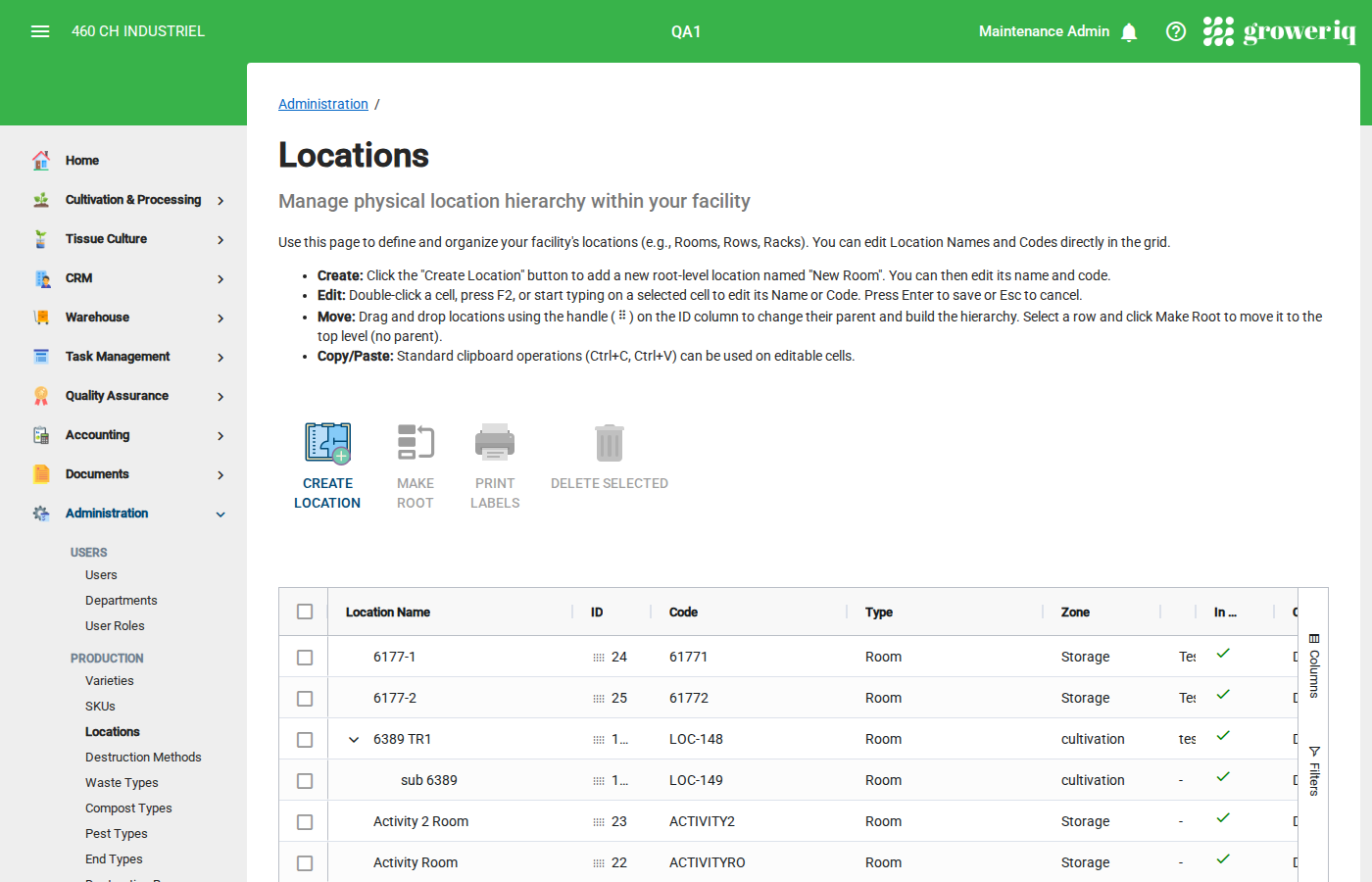
Note: Locations with active inventory cannot be deleted. The system shows an "In Use" indicator for locations that currently hold inventory.
Task Management — Plan, Schedule, and Track Your Team's Work
The new Task Management module gives you a complete production scheduling toolkit. Create tasks, assign them to team members, track time and costs, and monitor progress from a centralized dashboard.
📝 How It Works:
- Navigate to Task Management from the main menu
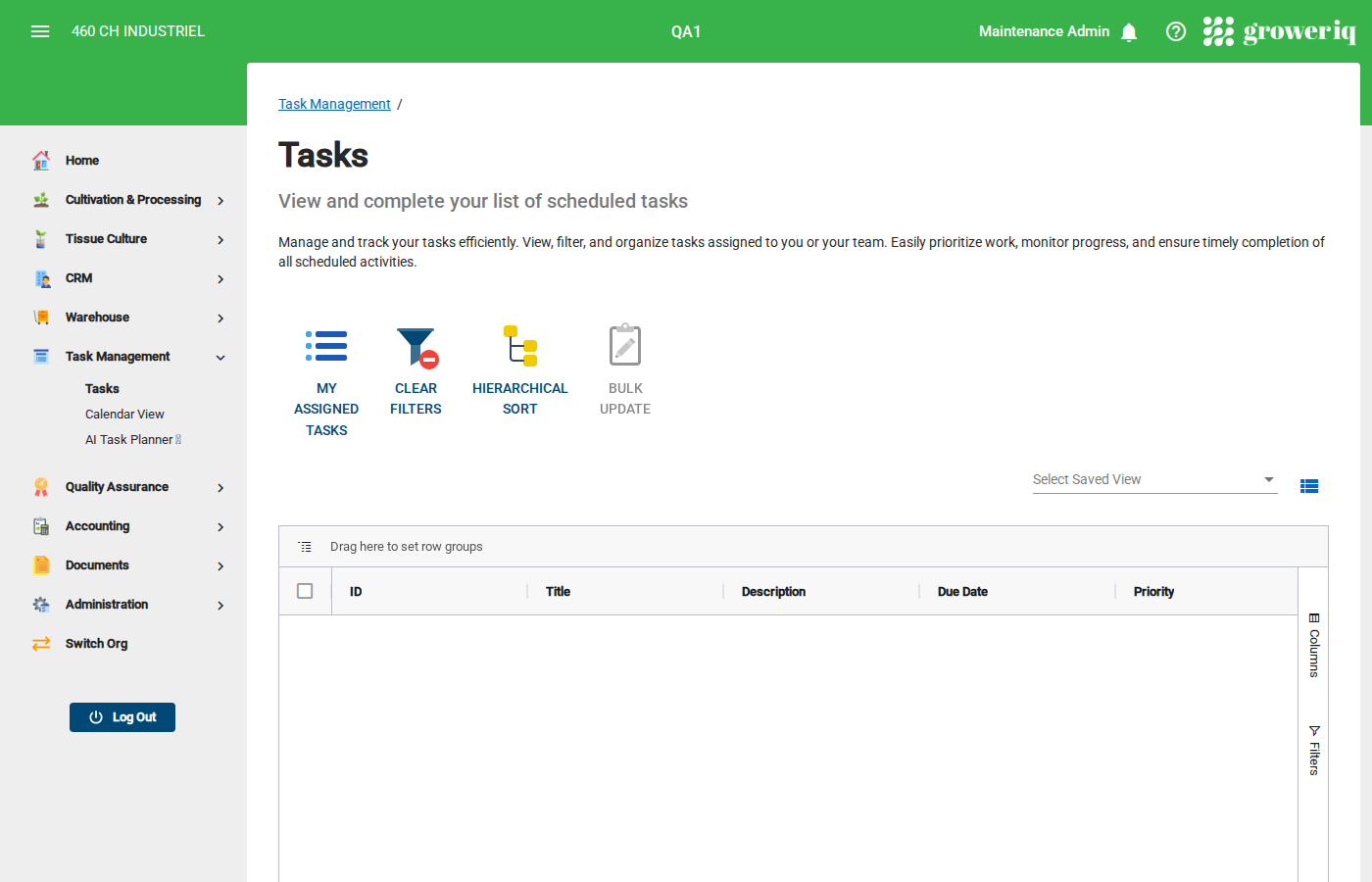
- Create tasks manually, or use the AI Task Planner to describe work in plain English and let AI generate structured tasks for you
- Assign tasks to one or more team members and set priority (Low, Medium, High) and due dates
- Track progress through the status workflow: Open → Assigned → In Progress → Pending Approval → Closed
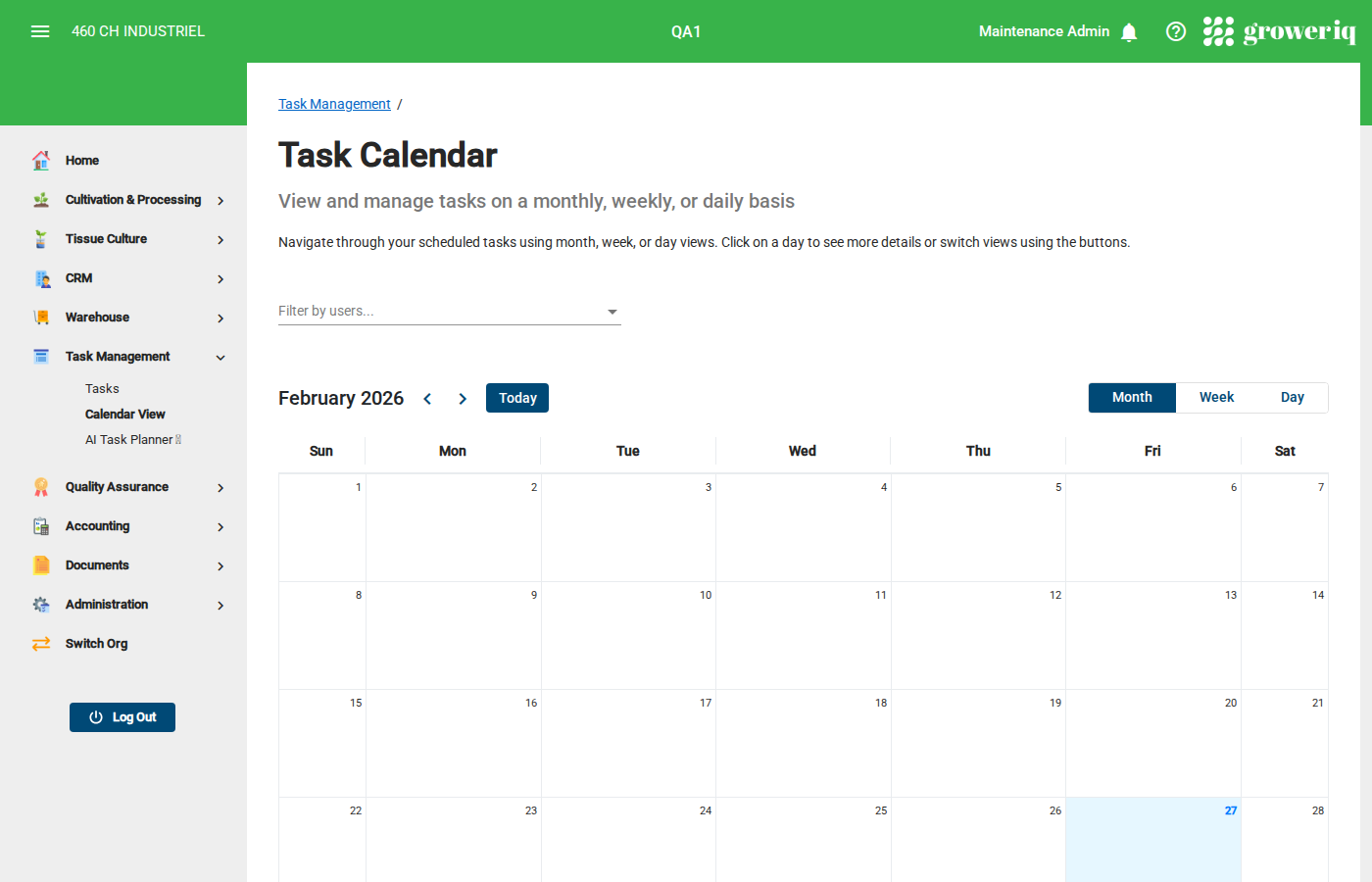
- Use the Calendar View (month, week, or day) to visualize your team's schedule
- Team members use the built-in timer to log actual time spent on each task
- Track supplies consumed and costs incurred (labour, supplies, other) for full cost visibility
- Supervisors review and approve completed tasks before closing them
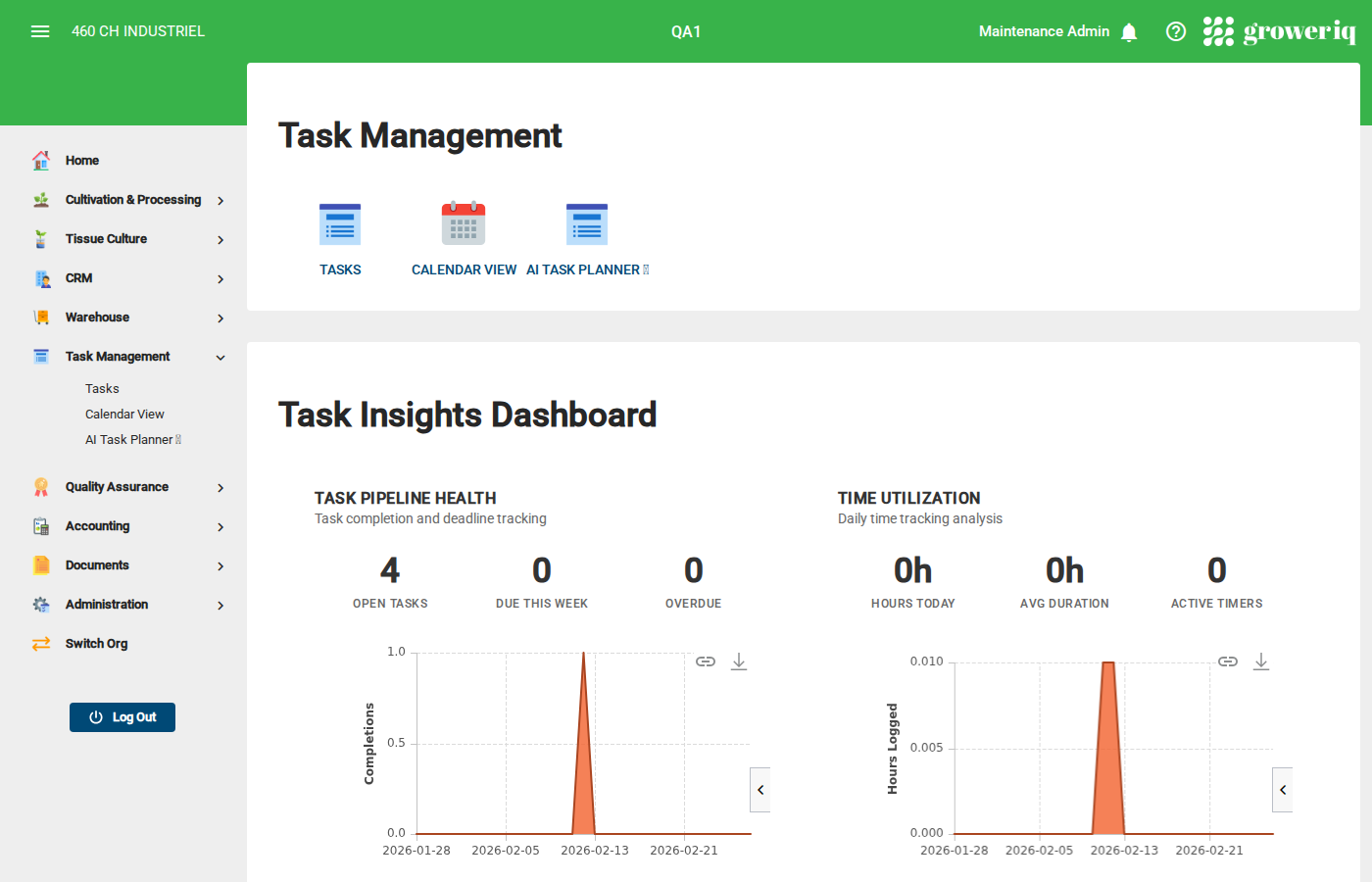
Dashboard Insights — The Task Management dashboard provides at-a-glance analytics:
- Task Pipeline Health — open tasks, tasks due this week, overdue count
- Time Utilization — hours logged today, average task duration, active timers
- Team Workload — assignments per user, unassigned tasks
- Cost Analytics — labour and supply costs month-to-date
Note: Tasks can be linked to inventory, locations, equipment, orders, and shipments for full traceability.
AI-Powered Form Builder Enhancement
The AI Form Builder now uses smart dropdowns for inventory names when creating and filling out forms. Instead of free-typing inventory references, the system suggests matching inventory items from your database — reducing errors and speeding up form completion.
🧬 Tissue Culture Propagation (TCP)
Click to expand TCP / Vessels features
What is Tissue Culture Propagation?
GrowerIQ 3.4.0 introduces the Tissue Culture Propagation (TCP) module — a specialized workflow for propagating plants through in-vitro tissue culture. This is a major addition for facilities that use tissue culture as part of their propagation strategy.
Navigate to: TCP from the main menu (requires TCP feature to be enabled for your organization)
Vessels — A New Inventory Type
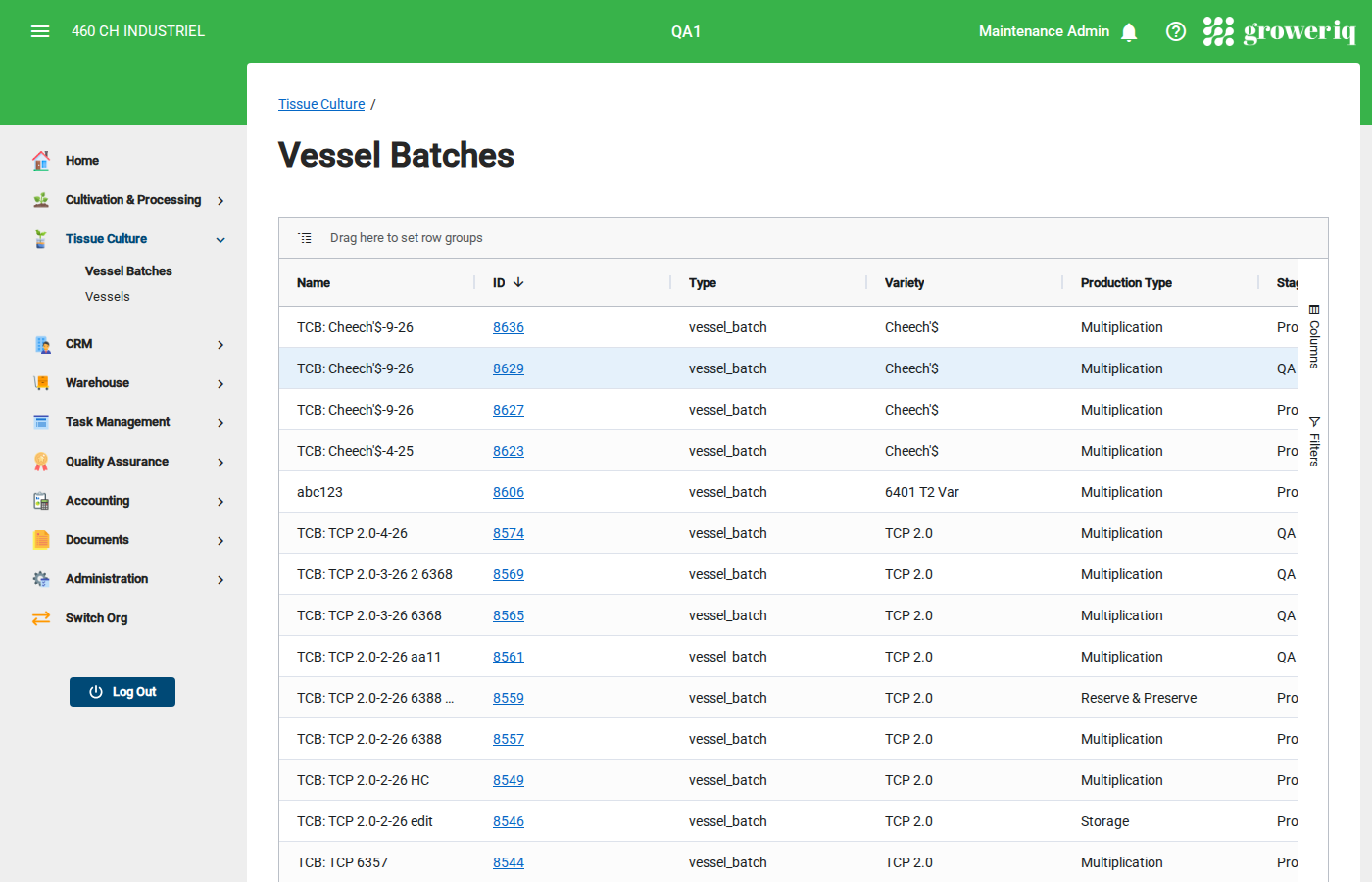
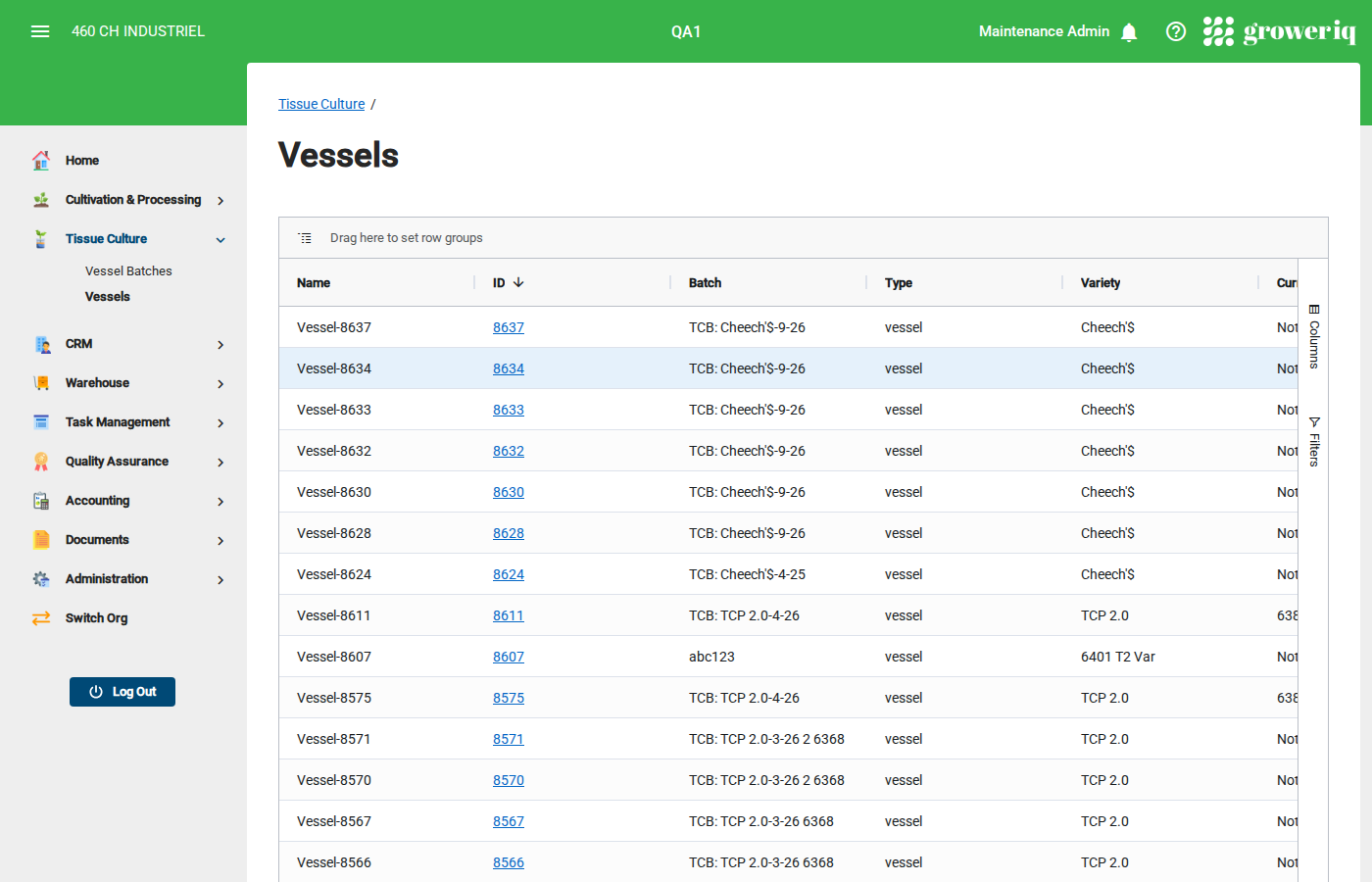
Vessels are individual containers holding tissue-cultured plants in a controlled growth medium. Vessels are grouped into Vessel Batches and tracked through their entire lifecycle.
📝 How It Works:
- Navigate to TCP > Vessel Batches and create a new vessel batch with a variety and production type
- Add individual vessels to the batch, each with a plant count, health indicator, and media type
- Advance vessels through stages as they develop — the system tracks days in each stage
- Record multiplication events to clone plants from a source vessel into new vessels, with automatic multiplication rate calculation
- Create samples directly from vessels for lab testing
- Track vessel health with indicators: Healthy, Stressed, Contaminated, Dormant, Necrotic
- Monitor production targets with progress tracking toward plant count goals
- View batch-level analytics including health distribution, stage distribution, and multiplication success rates
Sales & PO Tracking for Vessels
Vessel Batches now integrate with the CRM module, allowing you to link purchase orders and customer accounts directly to vessel production batches for end-to-end order tracking.
TCP Dashboard
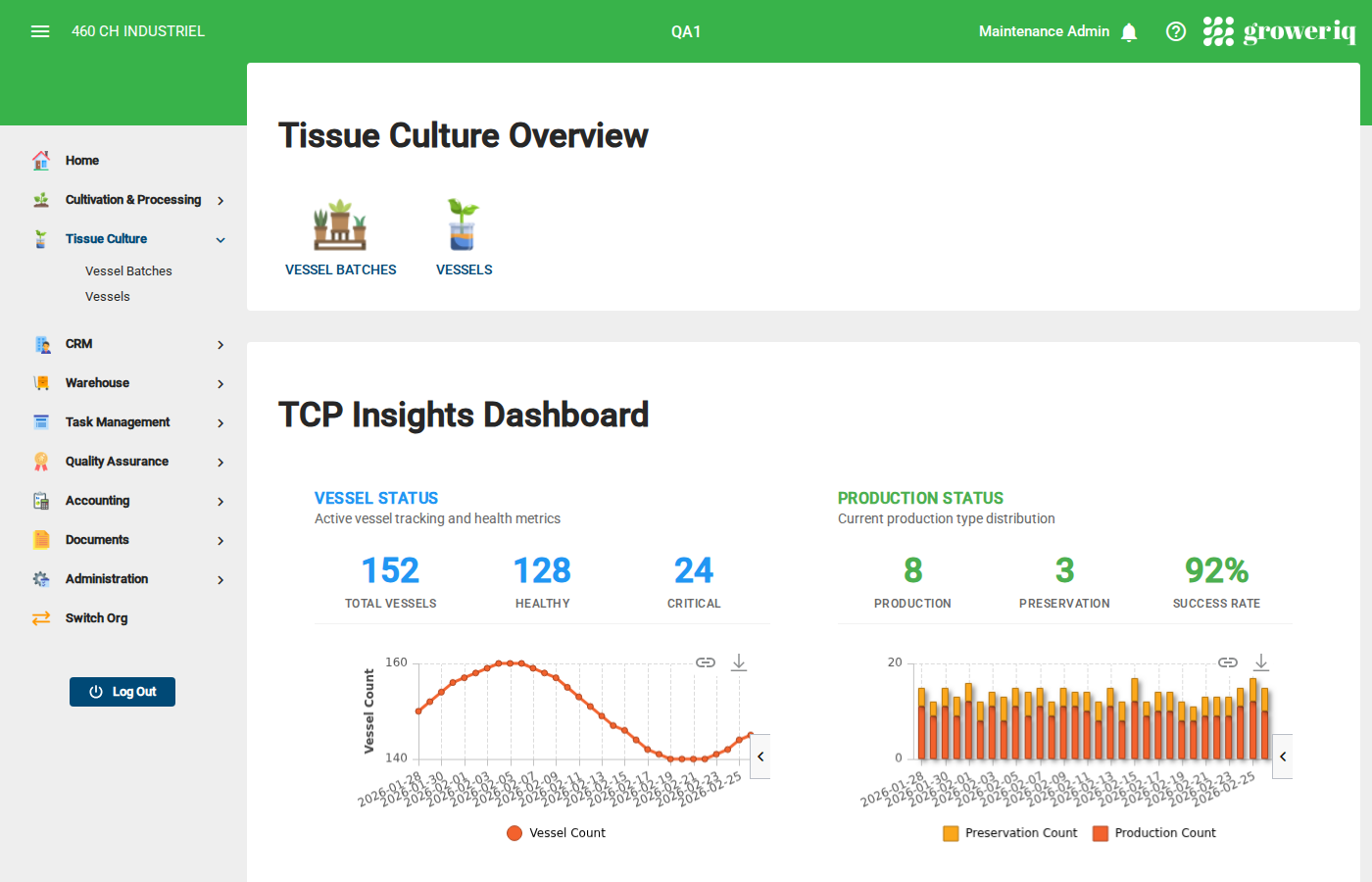
The TCP Overview provides real-time analytics:
- Vessel Status — total vessels, healthy count, critical vessels requiring attention
- Production Status — active production, preservation, remediation batches
- Multiplication Tracking — monthly events, average multiplication rate
- Health Analytics — contamination rate, healthy percentage, quarantined vessels
TCP Administration
Configure TCP settings under Administration > Organization Settings > TCP Settings:
- Customize health indicators
- Manage media types
- Configure production types
- Define vessel stages and progression order
💡 Improvements
-
Archive Mother Batches: You can now archive mother batches that are no longer in active use, keeping your batch list clean and focused on current production.
-
Split Lot Validation: The Split Lot modal now displays a clear error message when you enter an invalid quantity, preventing accidental splits with incorrect values.
-
Corrective Action Rename: The "Backdate" function has been renamed to "Corrective Action" across the application, better reflecting the purpose of this feature — documenting corrections to historical records.
🔧 Bug Fixes
We've squashed several bugs to make your experience smoother:
- Color Grading: Fixed an issue where removing a classification from a Color Grade would fail with an error.
- User Hourly Cost: The currency symbol on the Hourly Cost field now correctly matches your organization's configured currency.
- Sample Creation: Resolved multiple issues with the Create Sample workflow to ensure consistent behavior.
- Order Items: Fixed an issue where the "Add Item" button would become disabled after selecting a product with a requested quantity.
- CRM Performance: Resolved a looped query on the CRM page that could cause slow loading times.
- Fertigation Logging: Unapproved Supply Lots are no longer available for selection in the Add Nutrient and Add pH dialogs, preventing accidental use of unapproved materials.
- CAPA Inventory Selection: The Select Inventory dialog in CAPAs now correctly allows you to select archived inventory items.
We Built This With You in Mind
💬 Have feedback? Submit an enhancement request by clicking here.
🚀 Ready to explore? Log into your UAT environment to test it out now!