Meet GrowerIQ 3.4.1.1! 🚀
This hotfix delivers a much-requested upgrade to batch weight tracking, plus a few targeted fixes to keep your records accurate.
✨ Record Weight Gain and Weight After Loss, Now on Batches
Until now, recording a weight change on a batch meant using Adjust Weight, which changes the weight that was originally recorded. Lots have long had a better option: dedicated actions that capture the change as its own fully audited event. You asked for the same on batches, and it's here.
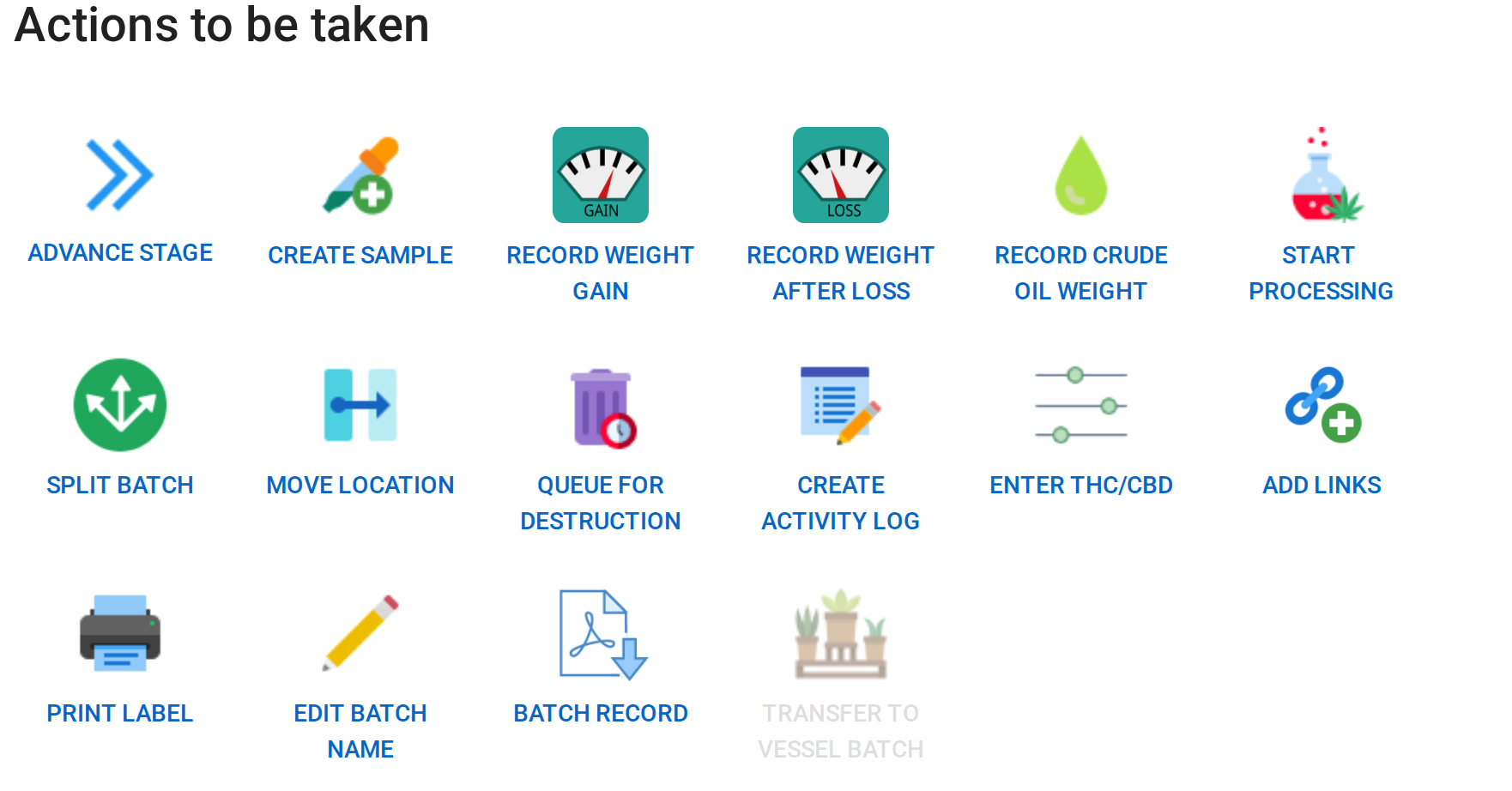
You'll find two new buttons on the batch detail page under Actions to be taken: Record Weight Gain and Record Weight After Loss. They're available on any weighable batch with inventory on hand (plant and seed batches excluded).
📝 How It Works:
- Open your batch from Cultivation > Batches
- Under Actions to be taken, click Record Weight Gain or Record Weight After Loss
- Enter the new weight, or pull it directly from a connected scale. Add an optional activity name and description, and set the date. You can backdate as far as the batch creation date.
- Complete the Weighed By, Checked By, and Approved By signatures
- Review the summary and Submit
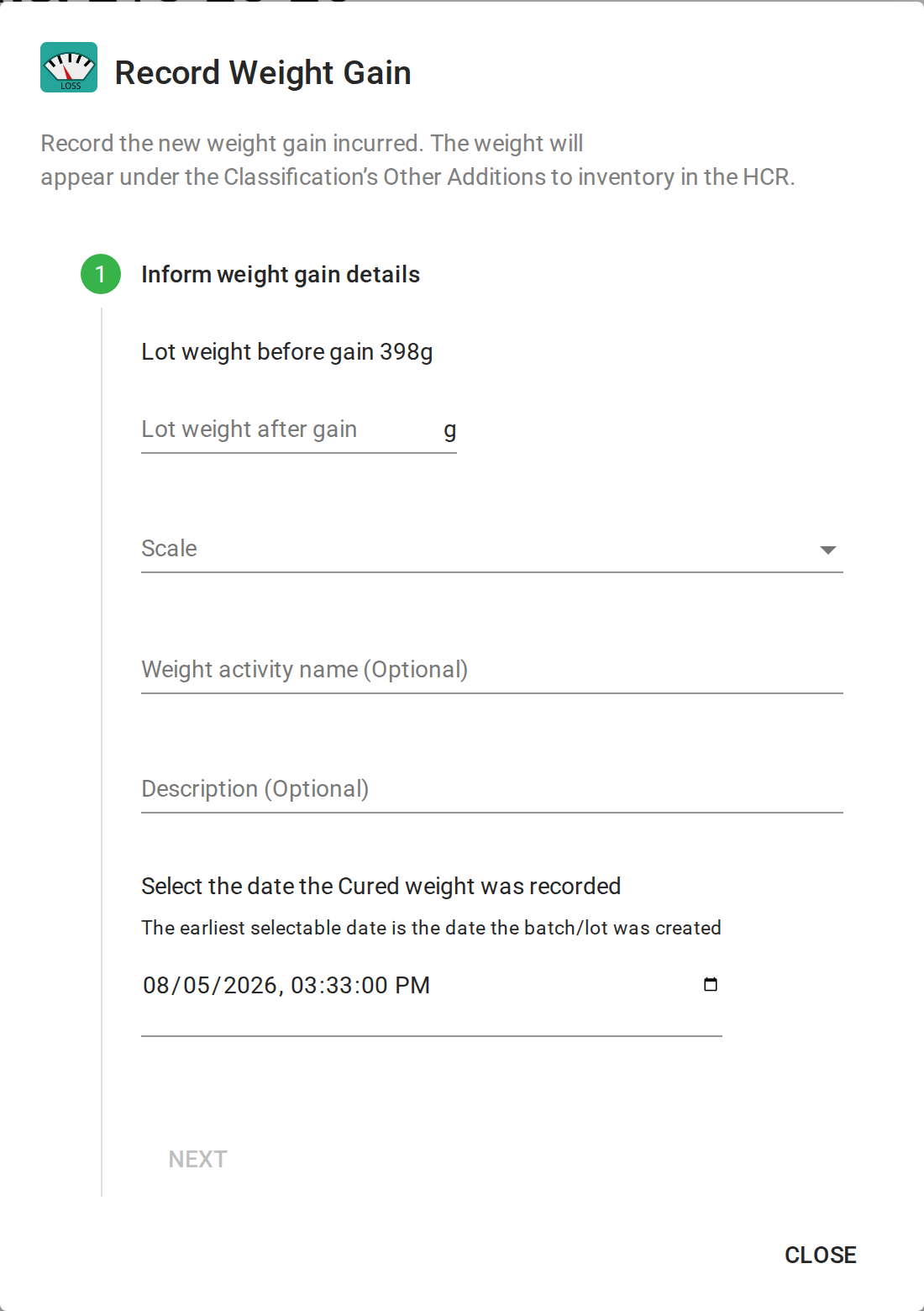
The batch weight updates immediately, the change is captured in the batch activity log, and your Health Canada Report reflects it automatically: gains post under the classification's Other Additions to inventory, and losses under the Post-Processing/Drying Weight section.
Note: Your originally recorded weight stays intact. These actions record the change as a new weight transaction, keeping your audit trail and monthly reporting clean.
💡 Also in This Release
- Destruction reports now include the inventory variety, matching what you already see on the destruction queue and history grids.
- Package run links in a lot's activity log now open the correct package run, with total package weight and remaining weight loading properly.
- New date and time display formats are available, including DD-MMM-YYYY (for example, 01-Jan-2026 and 01-Jan-2026, 13:00).
We Built This With You in Mind
💬 Have feedback? Submit an enhancement request by clicking here.