Meet GrowerIQ 3.4.2! 🚀
This release loosens up two workflows you asked about: you can now move material from a batch into a lot without a QA release, and the Health Canada Full Breakdown can be run for any date range, not just a calendar month. It also introduces our Priva integration, a premium module that brings temperature, humidity, CO2 and light readings from your Priva climate control system straight into every batch record. Add a long list of improvements and fixes, and there's plenty to explore.
Here's what's in this release:
✨ New Features
Transfer to Lot without QA
You asked, and we delivered! Until now, moving material from a batch into a lot meant QA-releasing the batch first, even if your QA sign-off happens at the lot level or isn't part of your workflow at that step. That meant extra clicks, and QA release records for reviews that never actually happened.
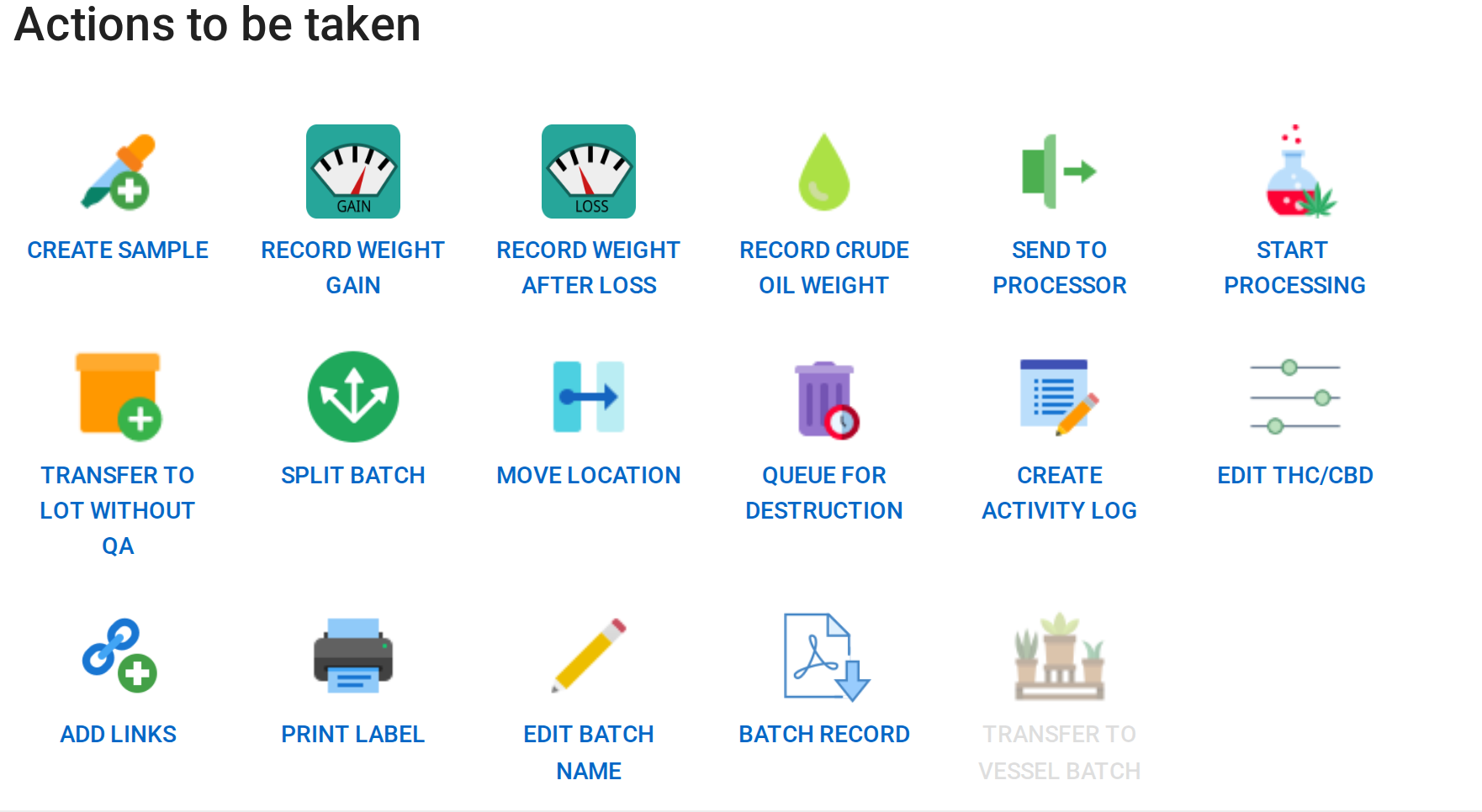
The new Transfer to Lot without QA action lets you move batch material straight into a new or existing lot. It's available on any post-harvest batch (harvesting, drying, curing, extracting, distilling or processing, or sitting in QA before release). The visual inspection and QA review can still be completed afterwards if you want them, and the batch, QA and lot activity logs record the transfer and lot creation exactly as they do today.
📝 How It Works
\- \
- Open the batch under Cultivation & Processing > Batches. \
- Under Actions to be taken, click Transfer to Lot without QA. \
- Enter the quantity, choose New Lot or a Previously created lot, set the location and date, and add your approvals. \
- Click Submit. The material is now in the lot and ready for its next step. \
Note: If you QA at the lot level, make sure Lot Approval is enabled in your Organization Settings so a sample and QA review are still required before the lot can be packaged.
Full Breakdown for Any Date Range
Reconciling inventory on a day that isn't the last day of the month used to be a workaround exercise, because the Health Canada Full Breakdown always ran for a whole calendar month. Now you choose the dates.
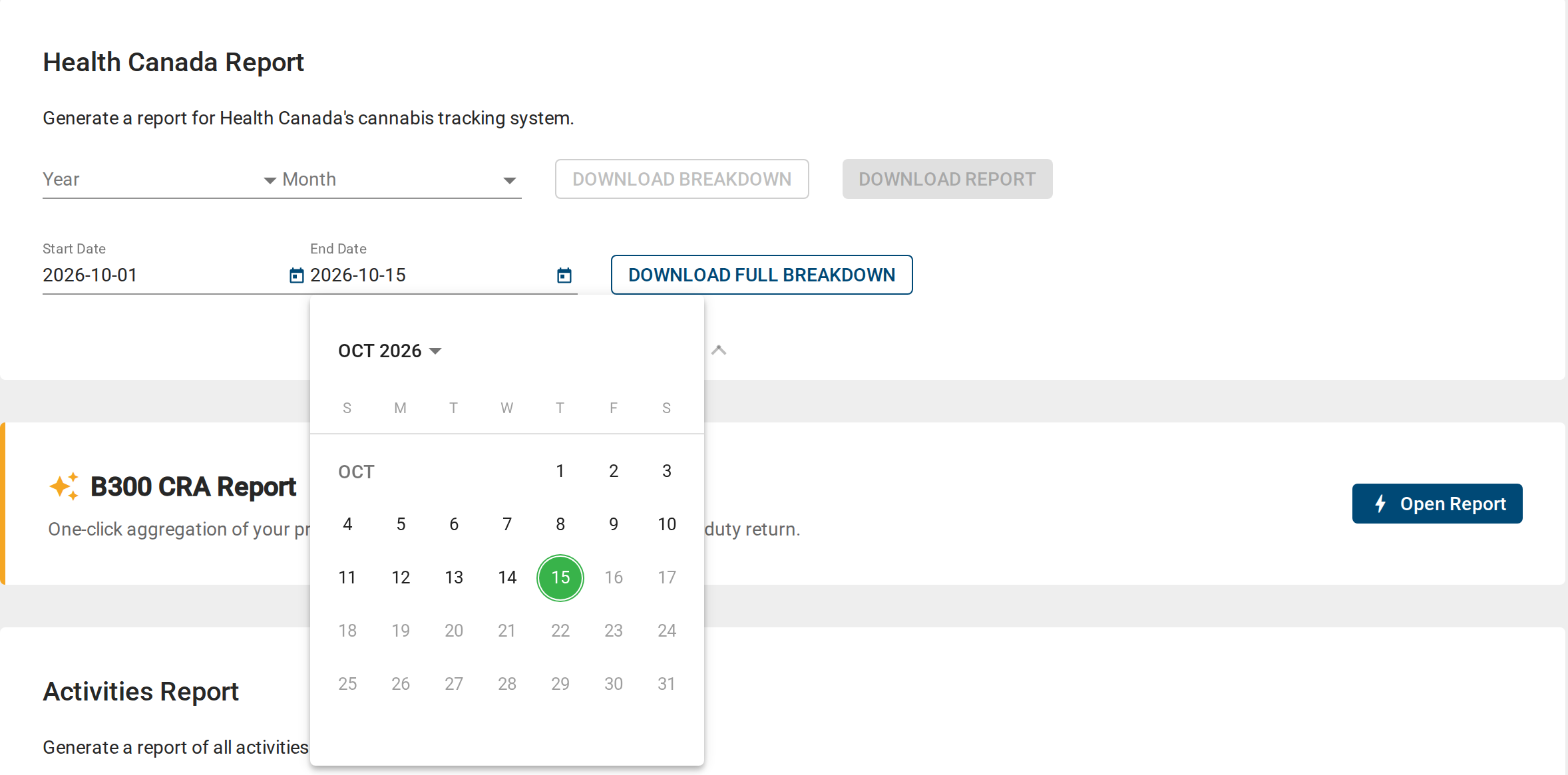
The Full Breakdown on Quality Assurance > Reports has its own Start Date and End Date pickers. Pick any range up to today, including one that crosses a month boundary (say, August 25 to September 10). The Opening Inventory tab is snapshotted at the start of the range, the Closing Inventory tab at the end, and the activity tabs cover everything in between, so closing always equals opening plus the activity shown. The range defaults to month-to-date, and the file name states the range so a partial workbook is never mistaken for a monthly one.
📝 How It Works
\- \
- Go to Quality Assurance > Reports. \
- On the Health Canada Report card, choose a Start Date and an End Date. \
- Click Download Full Breakdown. \
Note: The monthly Health Canada Report and the Breakdown CSV still use the Year and Month selectors, so your regulatory filing is unchanged. We've also removed the old Inventory Report card from this page, as it was no longer functioning.
Priva Climate Integration: Environmental Records on Every Batch 🌡️
If you run a Priva climate control system, your rooms already generate a constant stream of environmental data. Until now, getting it into a batch record for a GACP audit meant exporting from Priva and building charts by hand. GrowerIQ now connects directly to your Priva Horticulture account, collects readings from the sensors you choose once an hour, and keeps them for as long as you need.
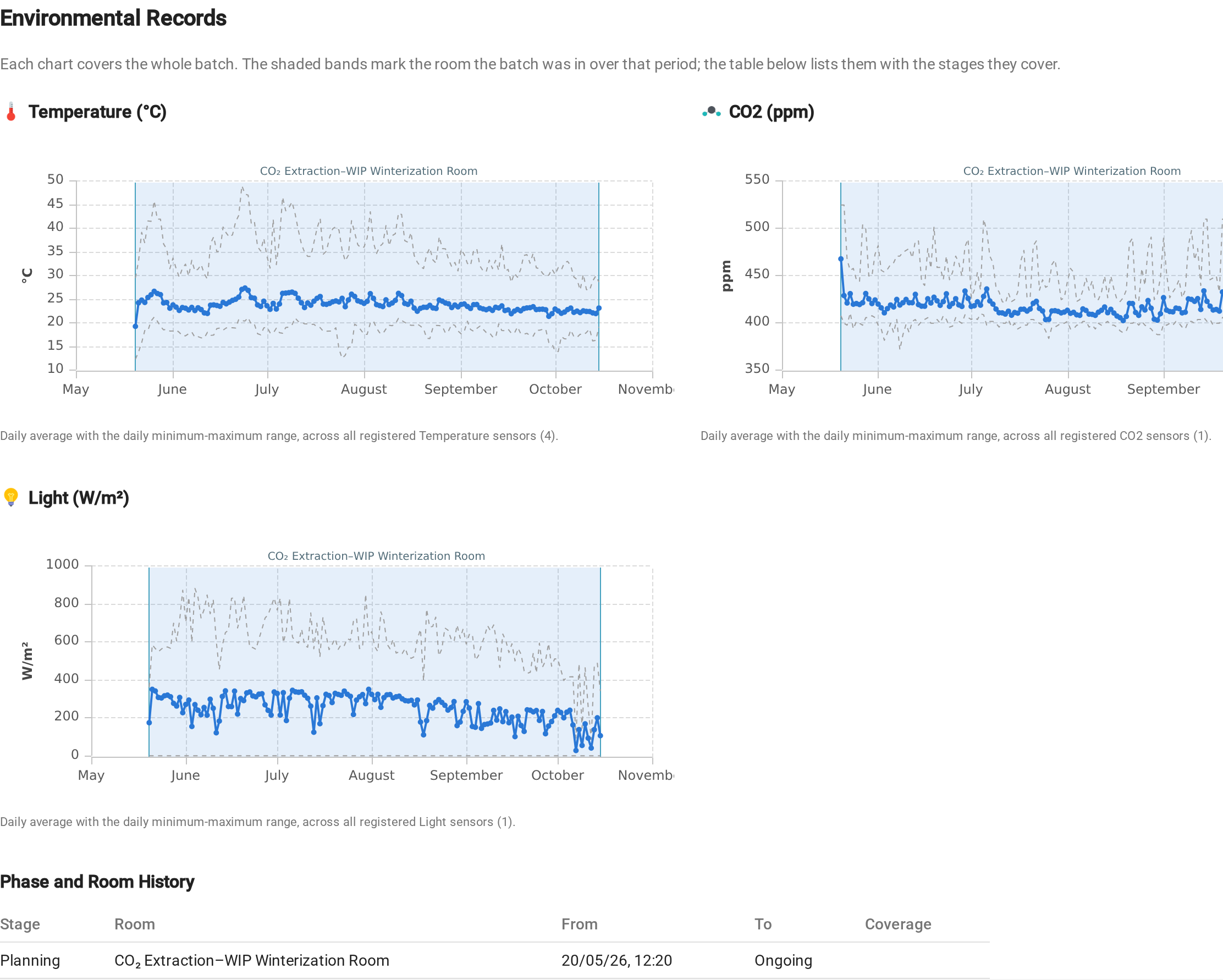
Every batch grown in a room with registered sensors gets an Environmental Records section on its Master Batch Record: a chart per parameter covering the whole life of the batch, with the daily average and minimum-maximum range, plus a Phase and Room History table. A new Environment view lets you explore and chart every stored reading.
📝 How It Works
\- \
- Go to Administration > Organization Settings and open the Priva Settings tab. Enter the Application ID and Application Secret from your Priva developer portal, choose your Facility timezone, click Save, then Test connection. The Sync health panel on this tab shows how many sensors are registered, how many readings have been collected and when the next run is due. \
- Go to Administration > Equipment and click Add from Priva. Tick the datapoints you want to record, assign them to the location they measure, and confirm. Readings start arriving on the next hourly run. \
- Open the Batch Record for any batch grown in that location: the Environmental Records section appears just before the document appendix. Hide it with the "Show Environmental Records section?" toggle when you want a shorter record. \
- Click Environment in the main menu to filter, sort and chart the readings themselves, and save the views you come back to often. \


Premium feature: The Priva integration is a premium module. Contact your Account Manager to find out more and have it enabled for your facility. Not on Priva? Other sensor and climate control systems can be integrated the same way, so let your Account Manager know what you run.
💡 Improvements
-
Reports in your facility's timezone: A new Report Timezone card under Administration > Organization Settings sets the timezone your reports use, so the Health Canada Report, breakdowns and other date-based reports open and close each period on your local calendar day.
-
Invoices and certificates in any language: When you generate an invoice or Certificate of Conformance, a new Select Document Language dialog lets you pick any language GrowerIQ supports. It defaults to the language you're logged in with, and Thai documents now render with a proper Thai font.
-
Declared vs. received weight: Received inventory now shows Quantity Declared, Quantity Received and the Variance side by side, and the Adjust Received Weight action records the weight that actually arrived, with a reason. The adjustment flows through to the Additions - Received and Closing Inventory columns of the Health Canada Report.
-
mg/g THC and CBD when receiving 2.0 products: When you receive extracts, edibles or topicals you can now enter THC and CBD in mg/g alongside the percentage, so the B300 categories that report in mg/g are populated correctly.
-
Consistent activity dates everywhere: The Activity Completed column is now populated for sanitation activities, and the Date/Time Completed and Date/Time Modified columns use the same names and definitions across Batches, Lots, Sanitation, Maintenance and the Activity Log.
-
Richer QA Activity Log exports: The QA Activity Log and its exports now include the inventory name, room and variety alongside the ID for activities recorded from this release onward, so you can recognise your inventory by your own naming conventions.
-
Package Run exports: Numeric columns now export as plain numbers rather than scientific notation, and the End Type is included in the CSV so you can reconcile package runs without opening each one.
-
No more email autofill: Your email address is no longer pre-filled into fields such as batch name, package run name, mother batch and lot expiry dialogs, where it only got in the way.
-
AI Form Builder: Generated forms no longer end up with hidden required fields that block submission, phantom cost totals no longer appear on forms that merely mention materials, and when a form can't be submitted the message now names the fields that need attention.
-
GrowerIQ in Vietnamese: Vietnamese joins the list of languages you can choose at sign-in.
-
INFARMED v2 report: For operators in Portugal, the INFARMED report now produces the official v2 annual Excel workbook, with the chronological movement log and validated dropdowns.
-
ERP and API integrations: Expanded webhook events and payloads, a lot reduction endpoint for order and shipment events, and an activity reconciliation endpoint for ERP (SAP) integrations. Contact us if you'd like to connect GrowerIQ to your ERP.
🔧 Bug Fixes
We've squashed several bugs to make your day-to-day smoother:
Health Canada Report
- Export value in the right month: Previously, the value of an unpackaged export was anchored to the packaging date while its weight used the ship date, so an order packaged in one month and shipped the next reported its value in the wrong month, or lost it entirely. Both now follow the shipped date, and partially shipped orders are treated consistently.
ODC Reporting (Australia)
- ODC report reliability: Previously, running the Health Canada full breakdown could leave the ODC quarterly report unable to generate, and the progress indicator could stall indefinitely. Both are fixed, and generation now shows live progress while the report is built.
Inventory & Lots
-
Supply usage rounding: Using supplies no longer leaves tiny residual quantities behind, so your consumable stock totals stay accurate.
-
Send Sample to Lab: A sample can no longer be sent to the lab twice, which previously created duplicate lab records.
-
Reverted samples: Reverting a sample back to its source now keeps the original sample creation record, so the Health Canada Report still reconciles.
CRM
- Backdated accounts: You can now set the creation date when creating or editing a CRM account, so backdated accounts are recorded correctly without a support ticket.
Labels
- Loop tag printing: Numbered plant loop tags now always print in complete sheets of four, so strips of die-cut tags no longer come out partially blank.
Translations
- Grid column titles: Column headers, filter options and column menus in the Batches, Orders, Received Inventory, Lot Items, QA Activity Log, Sanitation Activities, SOP Training and Analytics grids are now fully translated.
We Built This With You in Mind
💬 Have feedback or an idea for the next release? Submit an enhancement request by clicking here.
🚀 Ready to explore? Log into your environment to try it out now!